

Euro Truck Simulator 2
Already a classic among driving games and simulators, Euro Truck Simulator 2 has set the standard in the driving simulator genre thanks to its appealing balance between realism and fun.
ETS2 is the biggest game of its kind and even now, several years after release, it is still regularly updated and improved upon with new and exciting content.

American Truck Simulator
Endless highways, the most characteristic trucks in the world, beautiful sceneries and a very detail-driven approach ensure the greatest trucking experience from the “New World” anyone can offer.
Following the legacy of our previous projects, American Truck Simulator is our most ambitious game to date.

Scania Truck Driving Simulator
Project completed: June 2012
Put your driving skills to the ultimate test with 10 individual truck maneuvering challenges that serve as a practical exam as you strive to gain your licence. Complete intricately designed courses and tasks, in realistic environments that put you firmly into the driver's seat. Can you avoid obstacles whilst reversing a trailer? Do you have the lateral thinking required to find your way through a complex obstacle track? Can you park with precision? Once you have mastered the basics and gained your licence, compete against the best as you take part in a dozen disciplines inspired by the Young European Truck Driver competition - the virtual re-creation of Scania Driver Competition events. Learn the tricks to navigate your truck with centimetre precision!

Trucks & Trailers
Project completed: June 2011
Trucks & Trailers puts your truck driving skills to the test with over 50 individual truck driving taks. Compete against the clock to complete intricately designed courses and challenges that put you firmly into the driver's seat. Can you avoid obstacles whilst reversing a trailer? Drive 7 different trucks, choose steering wheel on the left or right side.
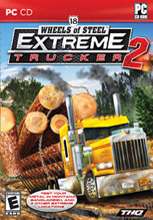
18 Wheels of Steel: Extreme Trucker 2
Project completed: January 2011
Test your driving skills to the extreme across five hire-raising locations including treacherous mountain forests, steep mountains, frozen ice roads, vast scorching desert, and thin rainforest roads. Battle through: Montana, Bolivia, Northern Territories, Australia, Bangladesh.
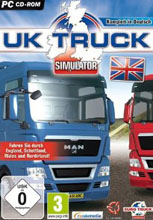
UK Truck Simulator
Project completed: February 2010
Get behind the wheel of trucks inspired by real designs from 7 major European truck manufacturers, including official license from MAN. Deliver cargo between 18 big UK cities connected by a network of motorways as well as smaller roads. Pick from over 60 different loads. Drive on the left, with the steering wheel on the right!
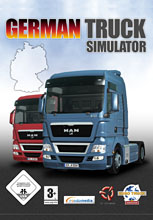
German Truck Simulator
Project completed: January 2010
Get behind the wheel of trucks inspired by real designs from 7 major European truck manufacturers, including official license from MAN. Deliver cargo between 18 major German cities connected by major highways. Pick from over 60 different loads.

Hunting Unlimited 2010
Project completed: August 2009
Track and hunt 18 of the most prized big game animals including Moose, Mountain Lion, Wild Boar, Mule Deer and more. Zero in with time at the Target Range before heading out into the wild. Free Hunt Mode drops you right in the action with game a plenty, or for exacting hunting adventures try Challenge Mode. All the tools a sporstman needs. Choose from over 30 weapons and accessories. Compound Bows, Shotguns and Rifles - Decoys, Blinds, Bait, and more.
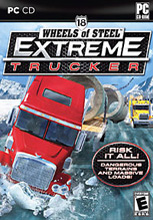
18 Wheels of Steel: Extreme Trucker
Project completed: November 2009
Transport loads that would scare even the most fearless drivers - maximum laods, oversized loads, high risk cargo and more! Drive terrains that don't forgive your mistakes. Achieve the unachievable by delivering your loads on time. Jump behind the wheel of over 25 different big rigs and over 30 types of loads.

Euro Truck Simulator
Project completed: August 2008
Drive across a realistic depiction of Europe, visiting its beautiful cities. Pick up a variety of cargos, and deliver them on time! The road network in Euro Truck Simulator is based on genuine European roads. Full attention is given to the whole truck - interiors are just as impressive as exteriors.
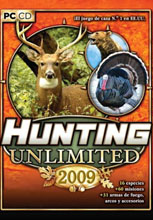
Hunting Unlimited 2009
Project completed: July 2008
Track and hunt 17 of the most prized big game animals including Moose, Mountain Lion, Wild Boar, Mule Deer and more. Zero in with time at the Target Range before heading out into the wild. Free Hunt Mode drops you right in the action with game a plenty, or for exacting hunting adventures try Challenge Mode.

18 Wheels of Steel: American Long Haul
Project completed: November 2007
Do you have the juice to go from gearjammer to boss man in the trucking business? Climb in the can and find out! You're steering the whole operation, from choosing the trucks and trailers to hiring the drivers in your fleet. Avoid the hazards, pick the best-paying cargo, and you'll be hauling it in.
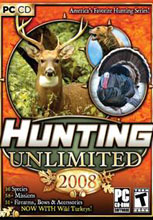
Hunting Unlimited 2008
Project completed: June 2007
Hunting Unlimited series is still going strong in retail, with the fifth outing now prepared for the upcoming sales season. The user interface was polished, two new vast hunting areas were added as well as a couple of weapons and accessories. The list of hunting Challenges has been extended, too. Now with Turkey!
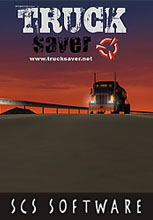
TruckSaver
Project completed: April 2007
With the publisher taking time to consider the future of the 18 Wheels of Steel franchise, we were itching to produce anything truck-related to give our fans a signal that we are not abandoning the 18 wheeler world. TruckSaver is a high-tech screensaver that we hope may extend the awaraness of cool truck sim games to a larger audience.

Bus Driver
Project completed: March 2007
In Bus Driver, your job is to transport passengers around an attractive and realistic city. You must drive to a timetable on a planned route, whilst obeying traffic rules, and taking care not to upset or injure your passengers. This makes Bus Driver unlike any other driving game - the experience of driving a bus is very different from blazing through a racing circuit.
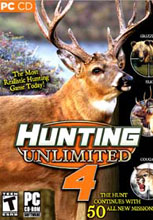
Hunting Unlimited 4
Project completed: August 2006
Hunting Unlimited 4 combines traditional hunting game elements with a fast-paced mission-based system, for intense hunting action. Players hunt twelve different realistic species of animalsacross six completely new vast landscapes. Track the quarry of your choice as you explore rugged land across Northern America and on African Safari.
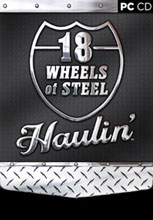
18 Wheels of Steel: Haulin’
Project completed: August 2006
Haulin' takes the series back to its truck simulation roots. With a much higher emphasis on the trucking business part of the game, the player's driving skills as well as business instincts are constantly challenged. New features include all new highly detailed truck cabin interiors and better map navigation.

Deer Drive
Project completed: April 2006
Deer Drive is an arcade-style deer hunting game. Take aim from your cover, and pick off the best trophies as they run headlong past you. Do you go for the Prize Whitetail Buck, or play it safe and take out the marauding grizzly before he takes you out? A fresh approach to the genre - the action hunting game!
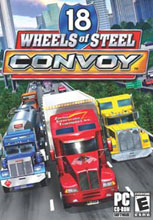
18 Wheels of Steel: Convoy
Project completed: August 2005
Over 40 cities, over 30 trucks, and much larger variety of cargo compared to the previous titles in the 18 Wheels of Steel franchise. Huge driving distances. New approach to real-time chrome reflections. Meet many trucks on the road to form long convoys on your way to fame and fortune.

OceanDive - Ocean Diving Adventure
Project completed: March 2005
OceanDive is a unique combination of a state-of-the-art 3D screensaver and a scuba diving exploration game. This micro-project started out as research into advanced pixel shader effects, but it looked so good that we decided to turn it into a commercial title. OceanDive is currently only available via digital distribution, but we are open to considering offers for retail distribution.

18 Wheels of Steel: Pedal to the Metal
Project completed: August 2004
Bigger and far more detailed world with thirty cities spanning from coast to coast and from Mexico to Canada. All new physics engine. All new truck models with incredible attention to detail detail, elaborate paintjobs, and lots of fantastic looking chrome parts. Pedal to the Metal is a worthy successor in the 18 Wheels of Steel line.

Hunting Unlimited 3
Project completed: August 2004
PREPARE YOURSELF FOR THE MOST REALISTIC HUNTING EXPERIENCE EVER! Travel throughout the United States, Canada and exotic Zambia to lock your sights on the prey of a lifetime. Unique action-packed missions will get your quarry running and your heart pumping.

Hunting Unlimited 2
Project completed: September 2003
Hunting Unlimited franchise continues with many improvements. They include new 3rd person view, unconstrained free hunt mode, built-in mission editor, mini-games for a little fun diversion, weapons locker with technical data about each sporting arm in the game and more. The graphics engine has seen a massive upgrade since the original game - it sports photorealistic textures, much higher polygon count models and lot more varied animations.

18 Wheels of Steel: Across America
Project completed: September 2003
This sequel in the 18 Wheels of Steel line boasts significantly increased size of the simulated world and improved graphics detail with high resolution photo-realistic textures, increased model detail and new shading and lighting system. Also new to the game are AI opponents competing with the player to have the best run company with largest fleet of trucks.

Hard Truck: 18 Wheels of Steel
Project completed: July 2002
Truck driving game with huge driving distances and dense ambient traffic, built on the Prism3D engine. All the fun of driving a colossal 18-wheeler with a twist of having to manage a trucking company. Make a million dollars as fast as possible, buy new trucks, hire new drivers and haul more cargo to grow your company. Developed in cooperation with Sunstorm Interactive.
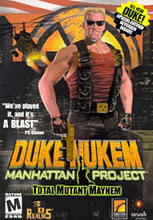
Duke Nukem: Manhattan Project
Project completed: May 2002
Duke is back in full glory. Duke Nukem returns back to his roots in this side-scrolling action game built on our Prism3D engine. Developed by Sunstorm Interactive. Published by Arush Entertainment. Produced by 3D Realms.

Hunting Unlimited
Project completed: October 2001
First-person hunting game pitting the player against 5 species of animals in over 200 action-packed scenarios. The game boasts leading edge visuals with large viewing distance in open terrain and the ability to enter buildings and caves, all thanks to the Prism3D engine.

Shark! Hunting the Great White
Project completed: January 2001
Underwater shark hunting game full of suspense. Explore 16 beautiful locations all around the globe on the quest to become the best of the shark hunters. Dive in various environments, enter underwater caves, search shipwrecks and marvel at the wealth of ambient life. Built on our in-house developed Prism3D engine.

Rocky Mountain Trophy Hunter 3
Project completed: August 2000
A very successfull hunting game with over 100,000 copies sold, RMTH3 was the very first game wholly developed by SCS Software. Built on enhanced Sunstorm STE engine.

911: Fire and Rescue
Project completed: June 2001
First-person interactive game that takes you into a 3-D virtual world of the firefighter. Developed in record time on our Prism3D technology.

Buckmasters Top Bow Championship
Project completed: December 2000
A cool bow shooting competition game using TERRENG 3.0 as a fallback software renderer.
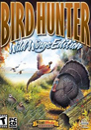
Bird Hunter: Wild Wings Edition
Project completed: September 2000
The ultimate among bird hunting simulators, based on TERRENG 4.0. Great gameplay, great technology allowing for rendering dozens and dozens of birds on screen at a time.

Buckmasters Deer Hunting
Project completed: August 2000
A hunting sim for those who demand most realistic animal stats and scoring. Staring Jackie Bushman as the in-game guide, the game is a very interesting variation of Deer Hunter 3. And this means we see some royalties from it too ;-)

Rocky Mountain Trophy Hunter II
Project completed: June 2000
With Rocky Mountain Trophy Hunter II, we have upgraded TERRENG up to version 3.1 to support a few new features.

Sportsman's Paradise II
Project completed: April 2000
The last of the TERRENG 3.1 generation games.

Deer Hunter 3 Gold
Project completed: February 2000
New maps, new "play the deer" hunting mode, new excitement. A great product of cooperation between Sunstorm Interactive and Sylum Entertainment. The game is taking advantage of the latest generation of our TERRENG software renderer.

Deer Hunter 3
Project completed: October 1999
Deer Hunter III: The Legend Continues. The name says it all. A fantastic addition to the Deer Hunter line, Deer Hunter 3 is using all new TERRENG 4.0 with enhanced speed and even reflective water support!

Bird Hunter: Upland Edition
Project completed: January 1999
TERRENG 3.0 software renderer was used for this game. Many new features were added, the most notable one being true color support.

Deer Hunter II
Project completed: October 1998
We have written the software renderer for Deer Hunter II in a matter of weeks. The project was codenamed TERRENG. It proved to be a solid piece of code with viable future. It was integrated by Sunstorm into their own terrain engine STE 1.0.

Grand Slam Turkey Hunter
Project completed: January 1998
This product uses the same engine as Deer Hunter II with only some minor fixes. Project codename TERRENG 2.1/p>